Development & connected systems
Connect the website to the work behind it.
Custom websites, client portals and integrations for teams outgrowing manual handoffs. Connect customer-facing experiences to the systems your business uses.
Talk about your goalsYour Webaholics team. OneApp access included.
Does this sound familiar?
Your team copies information between tools, a customer portal cannot support the workflow, or the website stops where the real operational work begins.
Illustrative workflow—not a promise of results.
What we work on with you.
Another disconnected tool can create more work. We map the process, identify who owns each step and build the connections your team can actually use and maintain.
- Step 1
Map the workflow and access
Identify the people, data and systems involved. Define which information belongs where, who can change it and which actions need approval.
- Step 2
Build the missing connection
Develop the agreed website, portal or integration. Handle validation, error states and permissions—not just the successful path.
- Step 3
Test it with the people using it
Use realistic customer and staff scenarios to review the work. Plan staged releases, monitoring and a recovery path before moving critical workflows.
The work stays connected in OneApp.
OneApp can bring client records, tasks, conversations and website work into a shared workspace. We scope integrations and AI assistance against your actual systems and permissions rather than promise that every tool connects automatically.
Every Webaholics client gets OneApp access. We agree the setup, supported connections and approval rules for your business; custom integrations and workflows are scoped separately.
Explore OneApp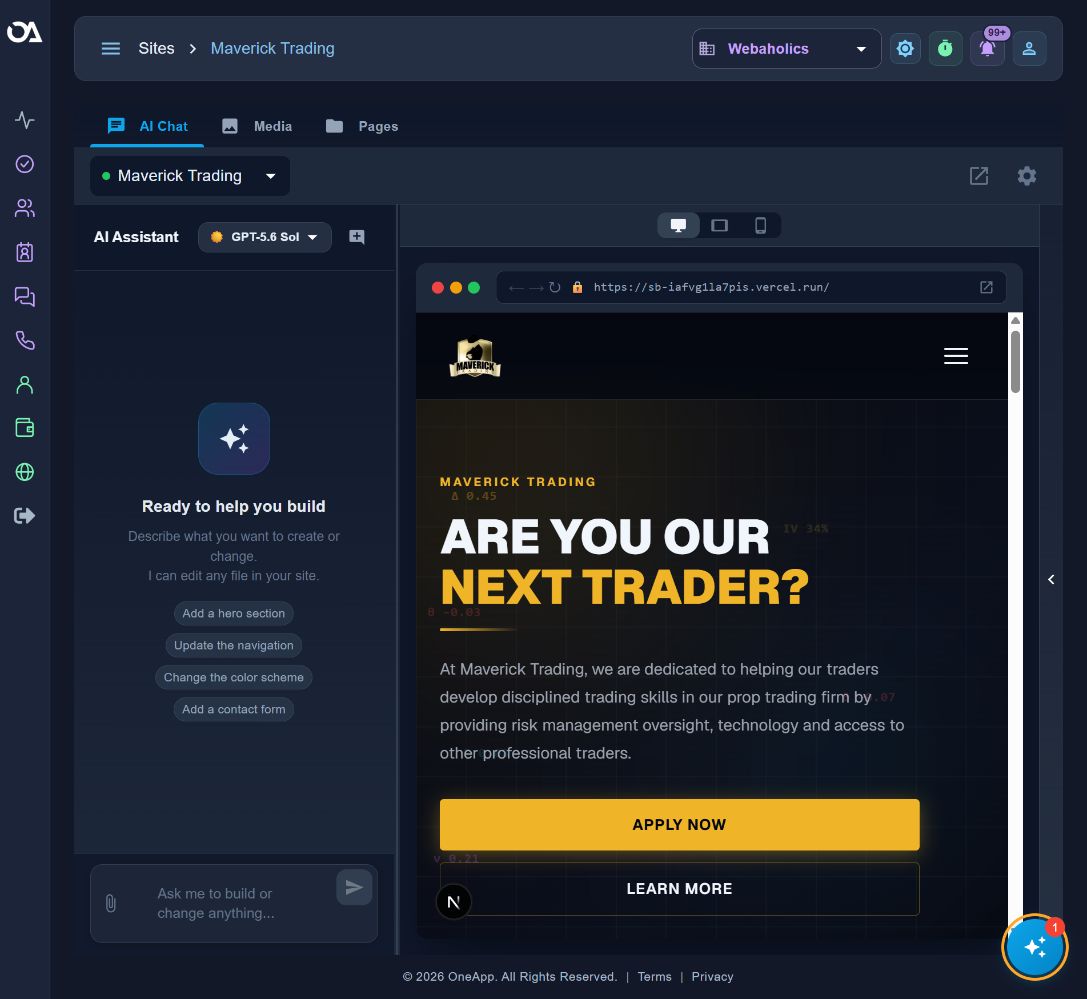
Measure what matters to the business.
We agree a baseline and review these measures where the underlying data is available. They guide the next decision; they are not guaranteed outcomes.
- Manual handoffs removed
- Workflow completion
- Errors needing intervention
Hear from a service-business owner.
Blake Quackenbush of BFQ Law shares his experience working with Webaholics. His story is a client's perspective—not a forecast of what another business will achieve.
Watch Blake’s storyBefore we get started.
Can you work with our existing systems?
We assess the available APIs, data quality and access before committing to an integration. We document what can connect, what needs custom work and any limitations so the implementation plan is realistic.
What does OneApp access include?
Every Webaholics client gets access to OneApp. We agree which website, lead, messaging, reporting and operational workflows to configure for your business. Access does not mean every integration or custom workflow is already set up; implementation scope and third-party requirements are reviewed with you.
What happens before work begins?
We review your goals, current systems and the problem to solve. Together we define the deliverables, responsibilities and approval steps. We establish the baseline and success measures before making changes.
A plan built around your business.
Start with your goals, your current setup and the work that needs to happen next. We’ll define the scope and responsibilities together before work begins.
Every Webaholics client gets OneApp access, with setup and support shaped around their business.
Talk about your goals