Website migration & rebuilds
Move forward without losing what already works.
A planned website migration that accounts for content, forms, search URLs, analytics and integrations. Review the new experience before changing the live site.
Talk about your goalsYour Webaholics team. OneApp access included.
Does this sound familiar?
Maintenance and workarounds are getting in the way, but you cannot risk losing enquiries, important pages or integrations during a rebuild.
Illustrative workflow—not a promise of results.
What we work on with you.
A redesign is not just a new look. It should make the path from first visit to enquiry or purchase easier—and preserve the forms, tracking and content your business depends on.
- Step 1
Clarify the offer
Map your audiences, services and customer questions. Shape page structure, messaging and proof around the decisions visitors need to make.
- Step 2
Design the customer journey
Build responsive layouts for your homepage, service pages and key conversion steps. Review real desktop and mobile previews before release.
- Step 3
Launch without losing the essentials
Check forms, enquiry delivery, analytics events, important URLs and redirects. Agree the release scope and what needs to be verified on the public site.
The work stays connected in OneApp.
Use OneApp to review website drafts and keep enquiries and customer conversations connected. AI can help draft changes and answer approved website questions; people review important changes before publishing.
Every Webaholics client gets OneApp access. We agree the setup, supported connections and approval rules for your business; custom integrations and workflows are scoped separately.
Explore OneApp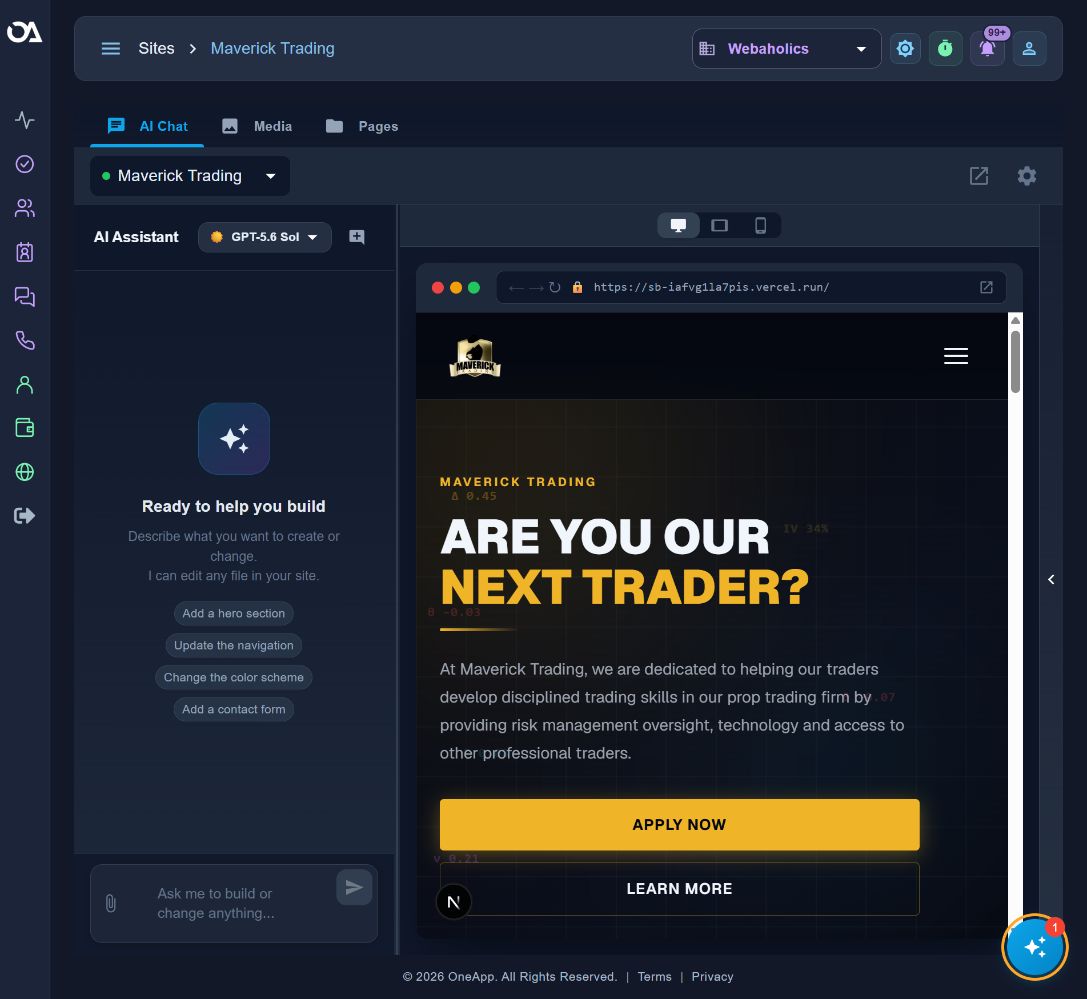
Measure what matters to the business.
We agree a baseline and review these measures where the underlying data is available. They guide the next decision; they are not guaranteed outcomes.
- Enquiry and booking completion
- Mobile usability
- Conversion by landing page
Hear from a service-business owner.
Blake Quackenbush of BFQ Law shares his experience working with Webaholics. His story is a client's perspective—not a forecast of what another business will achieve.
Watch Blake’s storyBefore we get started.
Do you recommend leaving WordPress for every business?
No. We review the actual constraints first. Improving the existing site may be the right option. If a migration is justified, we inventory the important pages and integrations, test redirects and forms, and agree a release and recovery plan.
What does OneApp access include?
Every Webaholics client gets access to OneApp. We agree which website, lead, messaging, reporting and operational workflows to configure for your business. Access does not mean every integration or custom workflow is already set up; implementation scope and third-party requirements are reviewed with you.
What happens before work begins?
We review your goals, current systems and the problem to solve. Together we define the deliverables, responsibilities and approval steps. We establish the baseline and success measures before making changes.
A plan built around your business.
Start with your goals, your current setup and the work that needs to happen next. We’ll define the scope and responsibilities together before work begins.
Every Webaholics client gets OneApp access, with setup and support shaped around their business.
Talk about your goals